
Before you start
- Every course is free. There is nothing to pay.
- You need an email address.
- You can use a phone, a tablet or a computer.
- You can stop at any time and come back later. The site remembers where you were.
Step 1. Open the list of courses
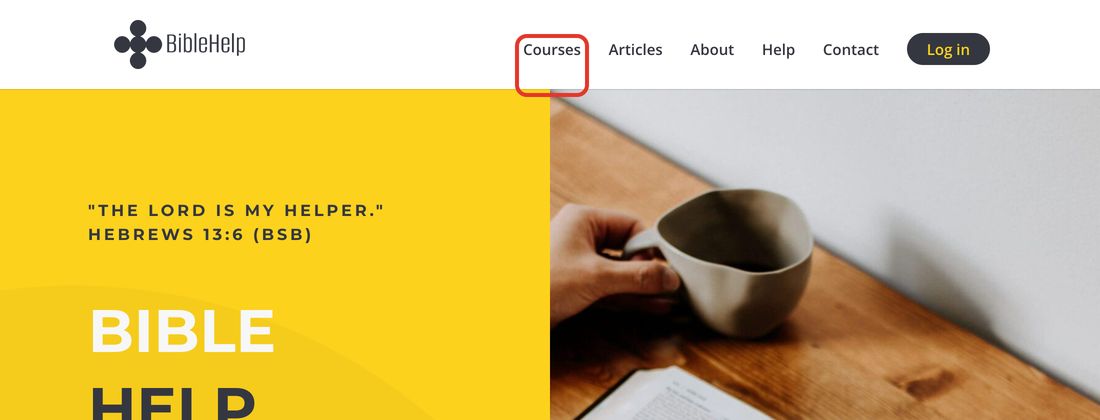
At the top of any page, click Courses.
Step 2. Choose a course
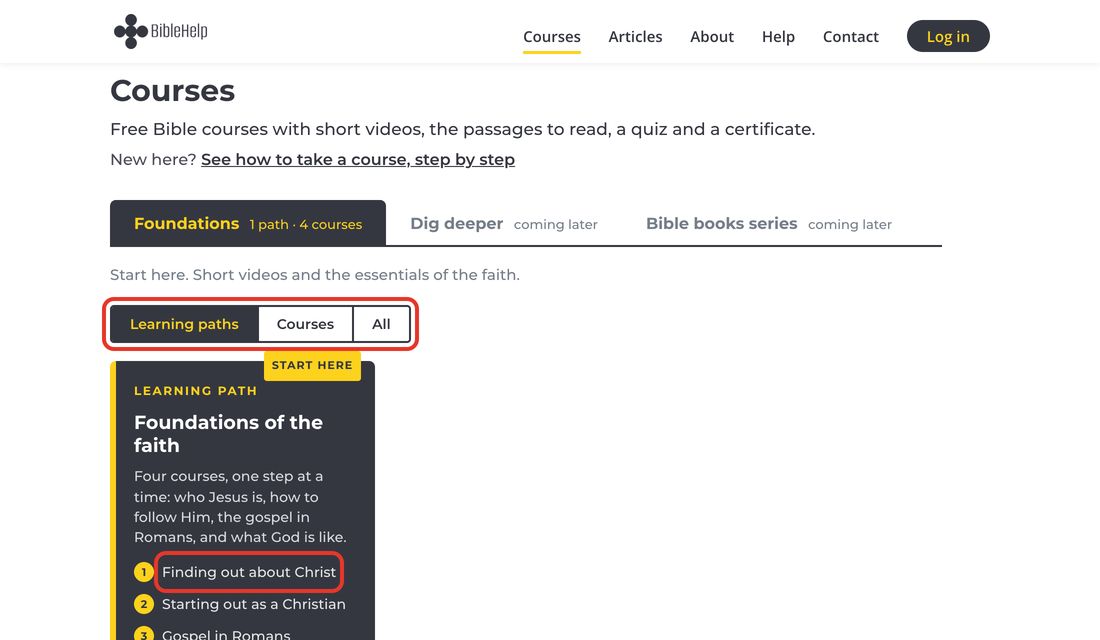
The courses are grouped by level. Start with Foundations.
You will see the learning paths first: a few courses to take one after another. If you are new to the Bible, start with the path Foundations of the faith: click its first course, Finding out about Christ.
To see each course of the level on its own, click Courses in the row of buttons just above the paths.
On a phone, the levels are listed one under another. Tap the name of a level to open it.
Step 3. Click “Enrol for free”
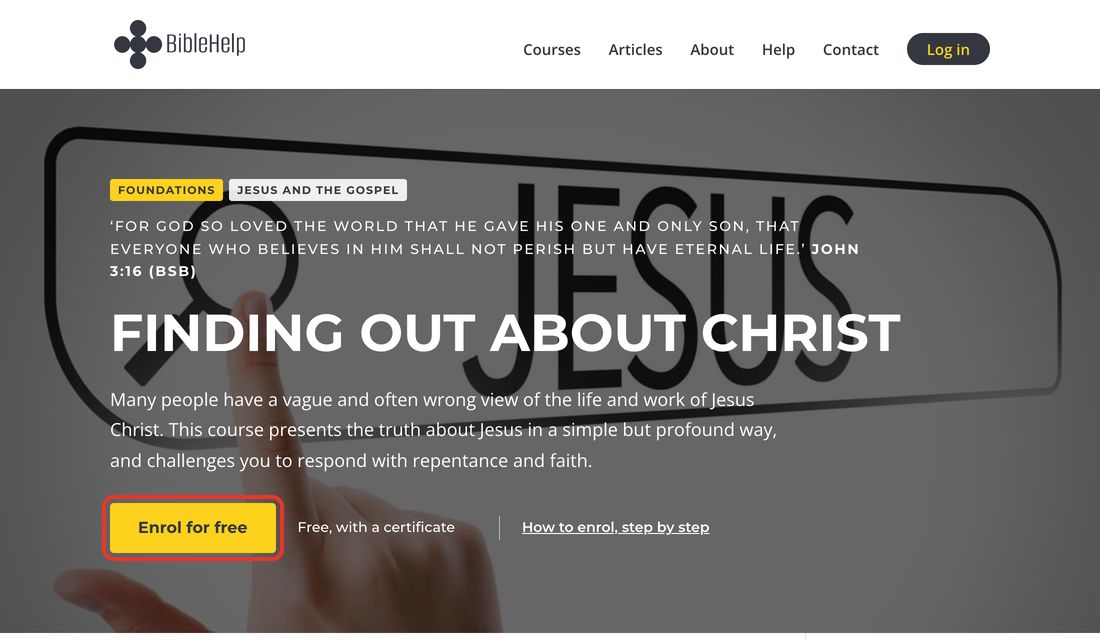
You will see what the course is about. Click the yellow button Enrol for free.
Step 4. Fill in your details
Type:
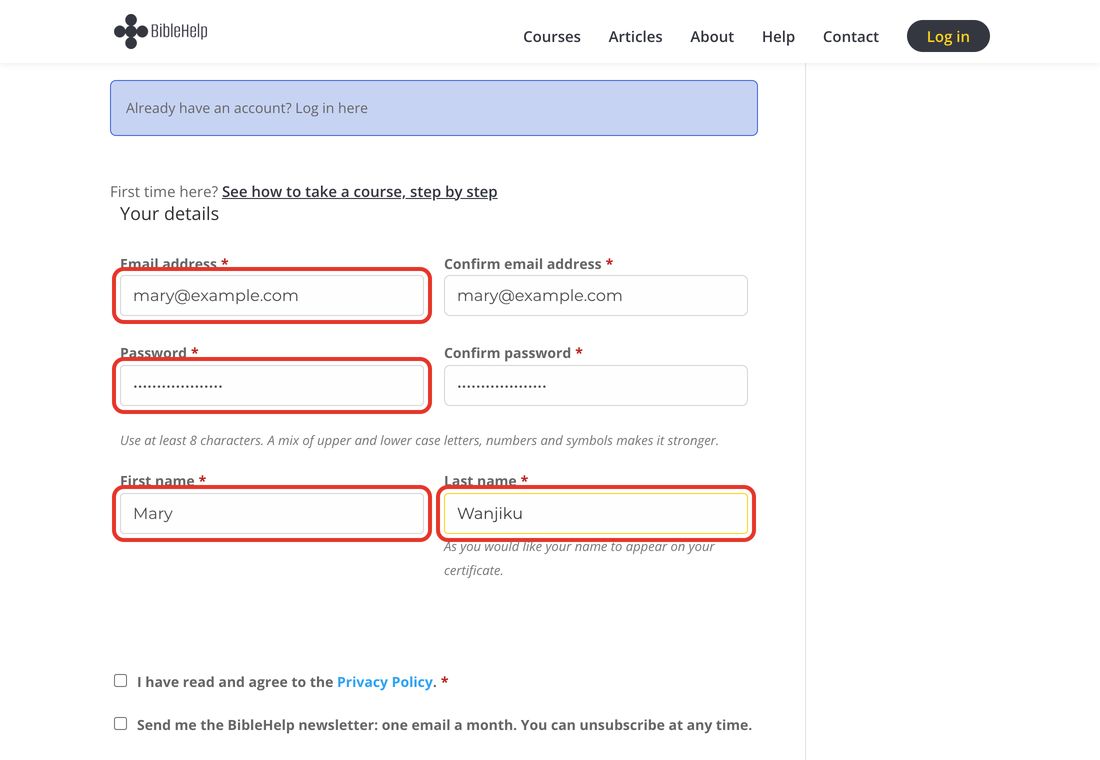
- your email address, and the same email address again in the next box;
- a password of at least 8 letters or numbers, and the same password again;
- your first name and your last name.
Write your name the way you want it to appear on your certificate.
Write your password down somewhere safe. You will need it when you come back.
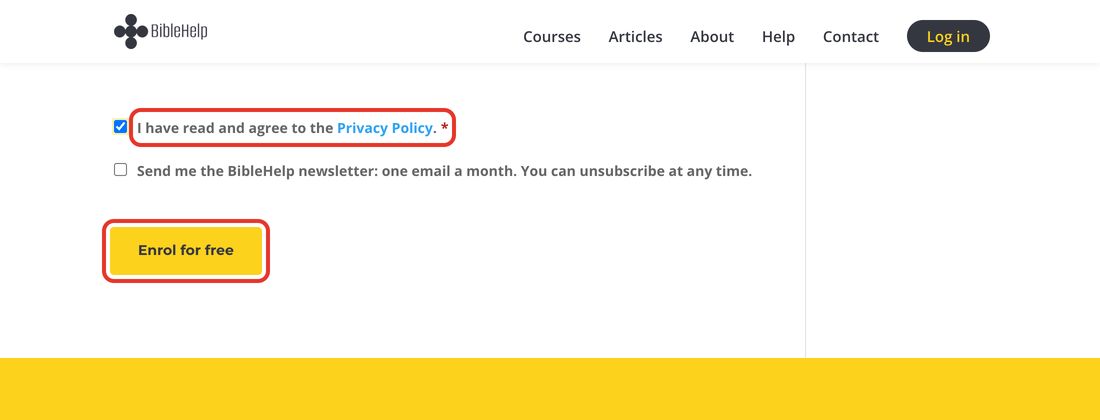
Step 5. Tick the box and click “Enrol for free”
Tick the box that says I have read and agree to the Privacy Policy.
The second box is your choice. Tick it only if you want our newsletter, one email a month.
Then click Enrol for free.
Step 6. You are enrolled
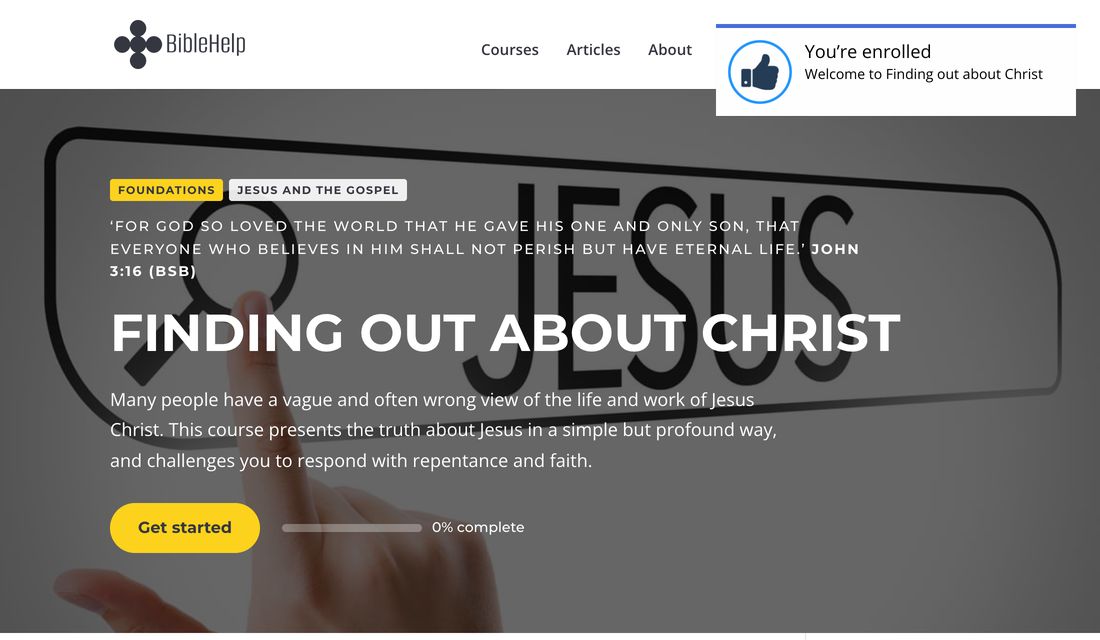
You will see the message You’re enrolled. We also send you a welcome email.
Click Get started.
Step 7. Begin the first study
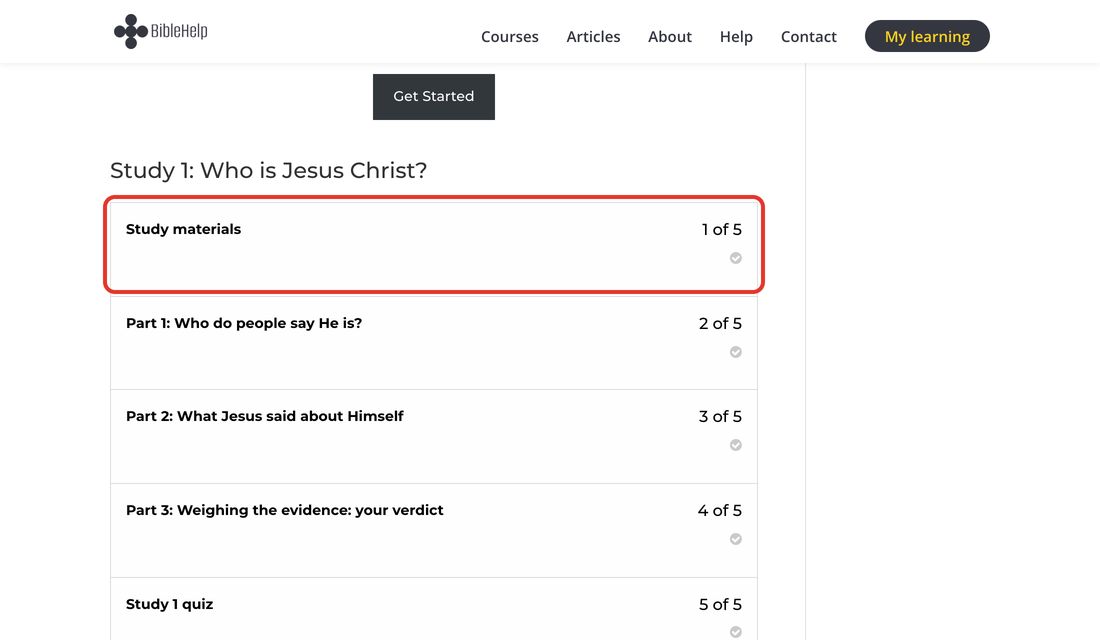
A course is made of studies. Each study has:
- Study materials: notes you can print or read on your phone;
- two, three or four parts, each with a short video;
- a quiz at the end.
Do them in order, from the top. Click the first one to begin.
Step 8. Watch the video
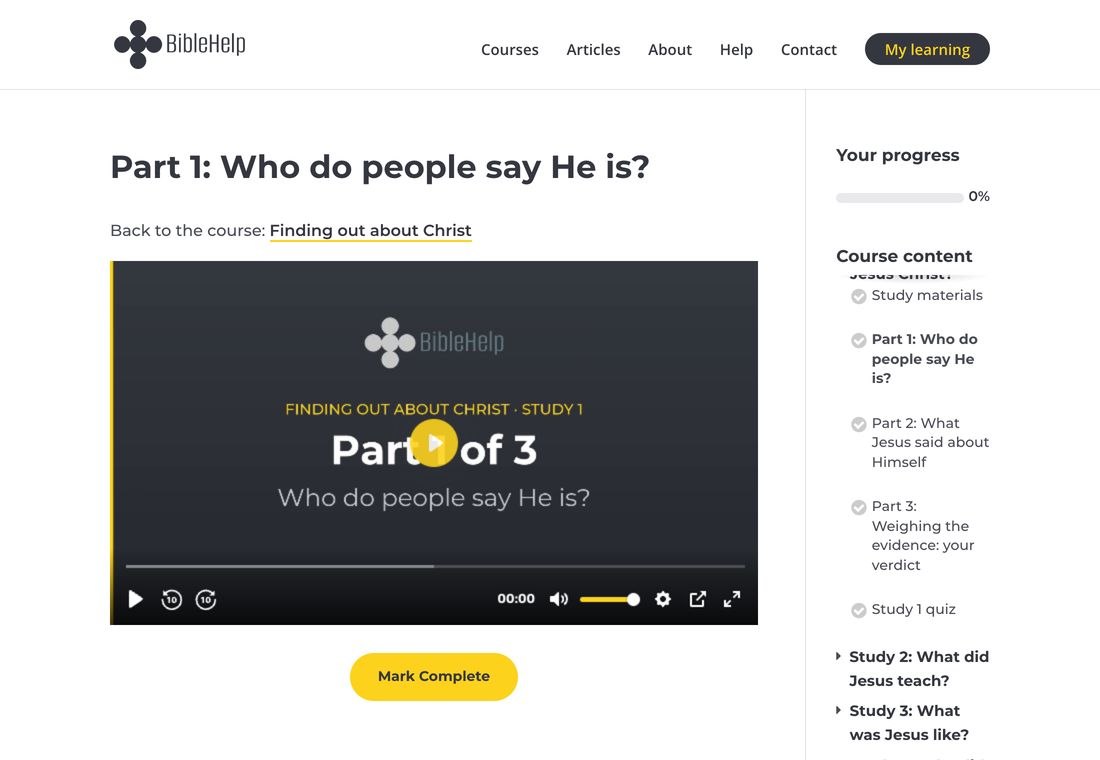
Click the play button in the middle of the video.
Below the video you will find the Bible passages and some questions to think about.
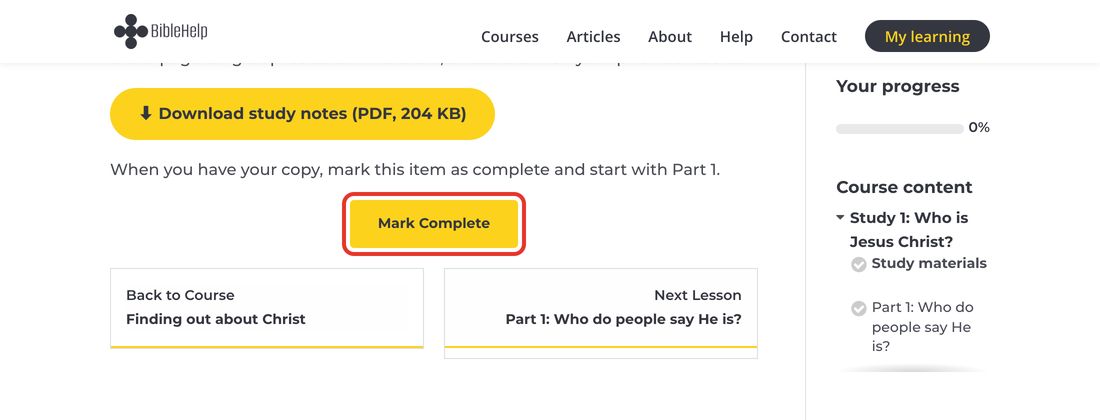
Step 9. Click “Mark Complete”
When you have finished a part, click Mark Complete. The site then takes you to the next part.
Step 10. Take the quiz
At the end of each study there is a short quiz.
- You need 6 out of 10 (60%) to pass.
- If you do not pass, you can try again, as many times as you need.
- When you pass, the next study opens.
Step 11. Coming back another day
- Go to biblehelp.net and click Log in at the top.
- Type your email address and your password, and click Log in.
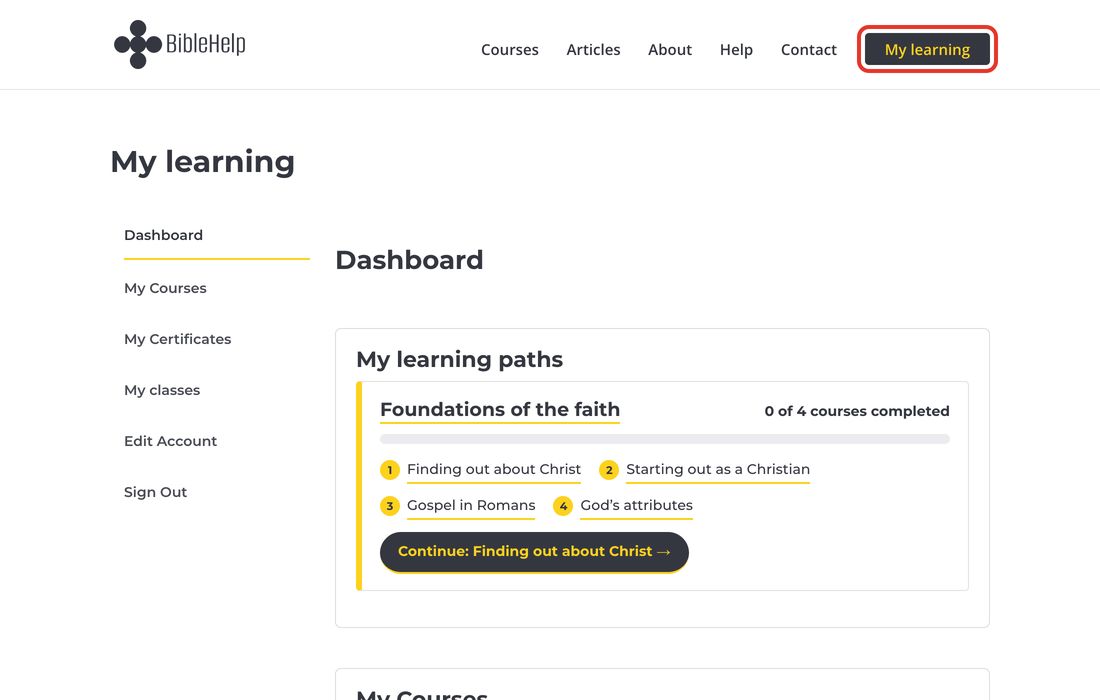
- Click My learning at the top. Your courses are there and, if you are following a learning path, how far you have gone in it. Click your course to carry on.
If you have forgotten your password, click Lost your password? on the log-in page. We will send you an email to set a new one.
Step 12. Your certificate
When you have completed every study and passed every quiz, you receive a certificate with your name on it.
You will find it under My learning, then My Certificates. You can print it or save it.
If you complete every course of a learning path, you also receive a certificate for the whole path.
If you need help
Click Contact at the top of any page and send us a message. We will reply by email.
See also: How to lead a class with BibleHelp